
Youth & Family Program Management Software
Run every program from one connected system.
BridgeCase connects participant and household records, mentoring, internships, family referrals, outcomes, and grant-ready reporting in one platform, so mission-driven teams spend less time reconciling spreadsheets and more time moving people forward.
- Role-based permissions
- Accurate unique-person counts
- Customer-owned, exportable data
Built for the organizations that carry youth and family programs
The problem
Your programs are connected. Your data should be too.
Youth and family organizations often manage applications, mentoring, internships, family services, attendance, and outcomes in separate forms and spreadsheets. BridgeCase replaces that fragmentation with one connected operating system.
| Before BridgeCase | With BridgeCase |
|---|---|
| Separate forms and spreadsheets | One connected record |
| Duplicate participant information | One person across many programs |
| Manual follow-up | Assigned tasks and alerts |
| Referrals without confirmed outcomes | Closed-loop referral tracking |
| Last-minute report preparation | Grant- and leadership-ready reporting |
By design
The architecture decisions that everything else depends on.
- 1record per person
- One profile across every program and every year, so a participant who returns is the same person — not a new row.
- 6connected workflow areas
- Intake, mentoring, workforce, family resources, outcomes, and governance all read and write the same records.
- 7sectors supported
- Nonprofits, mentoring organizations, municipalities, schools, workforce boards, diversion providers, and funders.
- 0spreadsheets to reconcile
- Reports are generated from the records staff already keep, not rebuilt by hand the week the grant is due.
These are facts about the product, not customer averages.
The platform
Everything your team needs to operate and prove the work.
Six workflow areas, one shared participant and household record underneath. Choose an area to see the interface and how the work flows through it.
One complete history for every person and household
Every enrollment, mentor, internship, service, document, referral, and outcome lands on one permanent profile — connected to the full household. Your team sees the whole journey instead of this year's spreadsheet.
Explore Participant & Household 360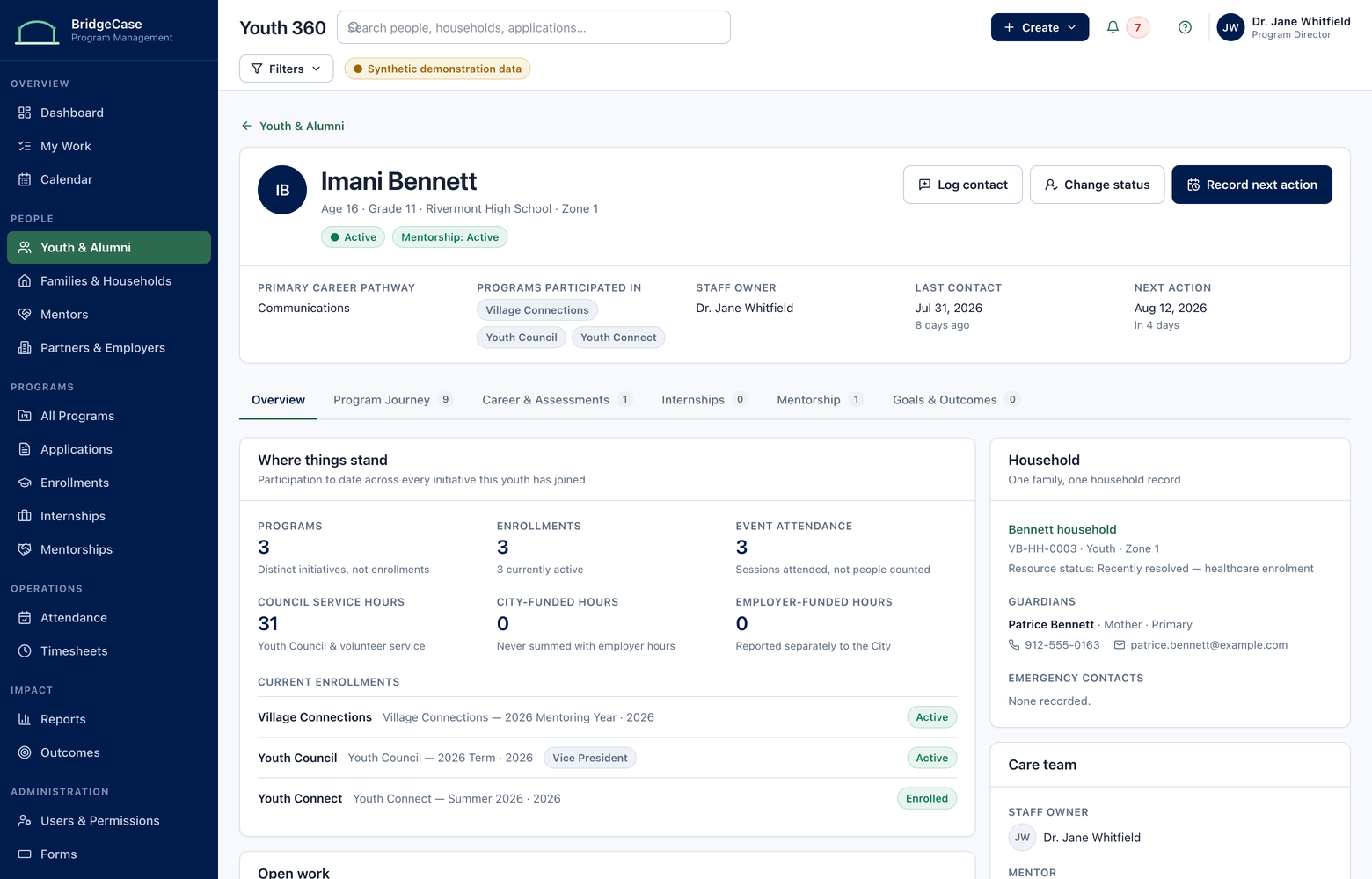
From application to enrollment without losing the history
Configurable forms, applications, interviews, eligibility, cohorts, participation, and completion — each stage writing to the same participant record, so returning participants are never re-entered.
Explore Programs, Intake & Enrollment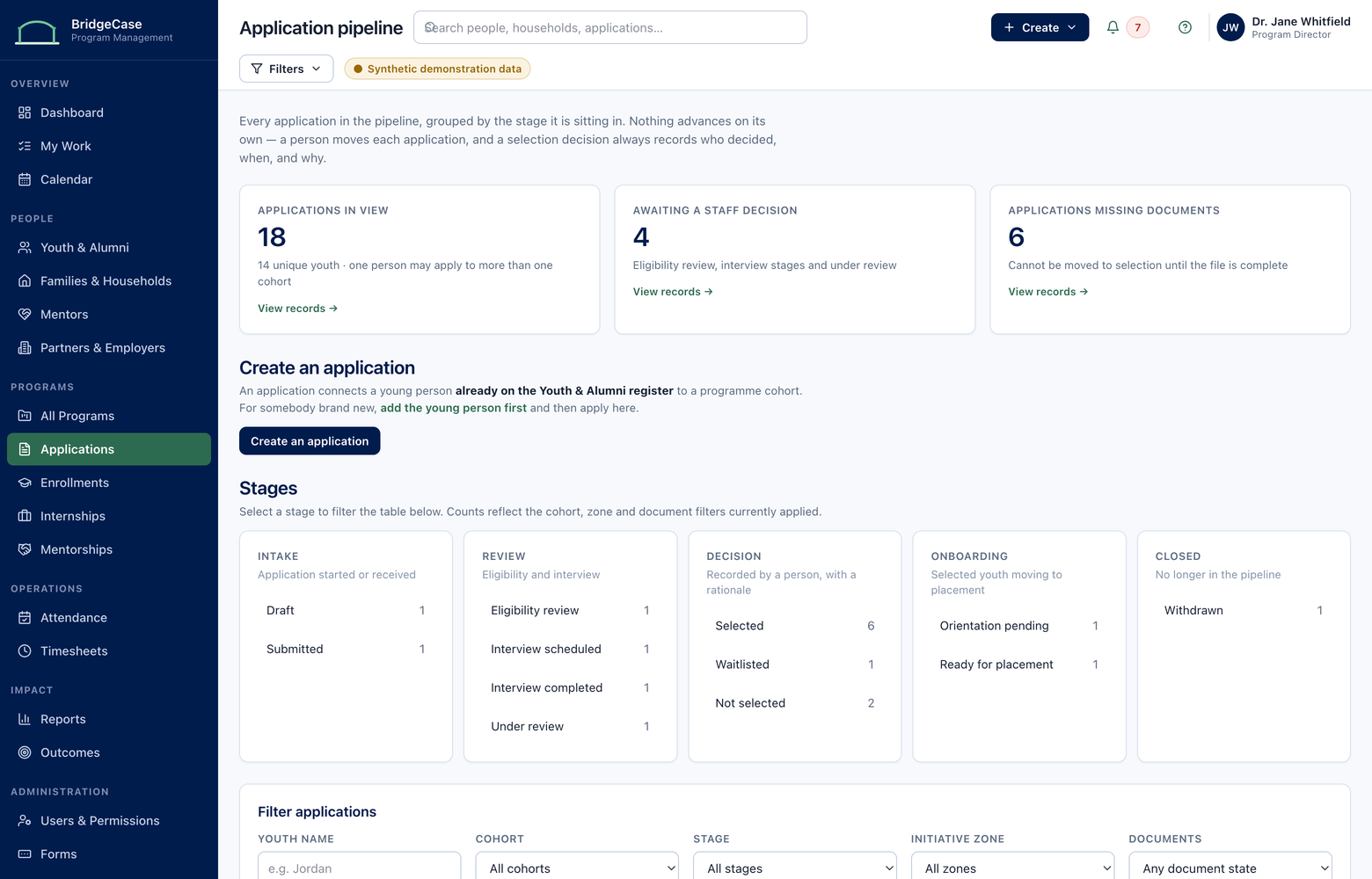
The whole relationship, not just the match
Mentor readiness and screening status, matching context, session logs, goals, and relationship health — visible to coordinators before a match quietly stalls.
Explore Mentoring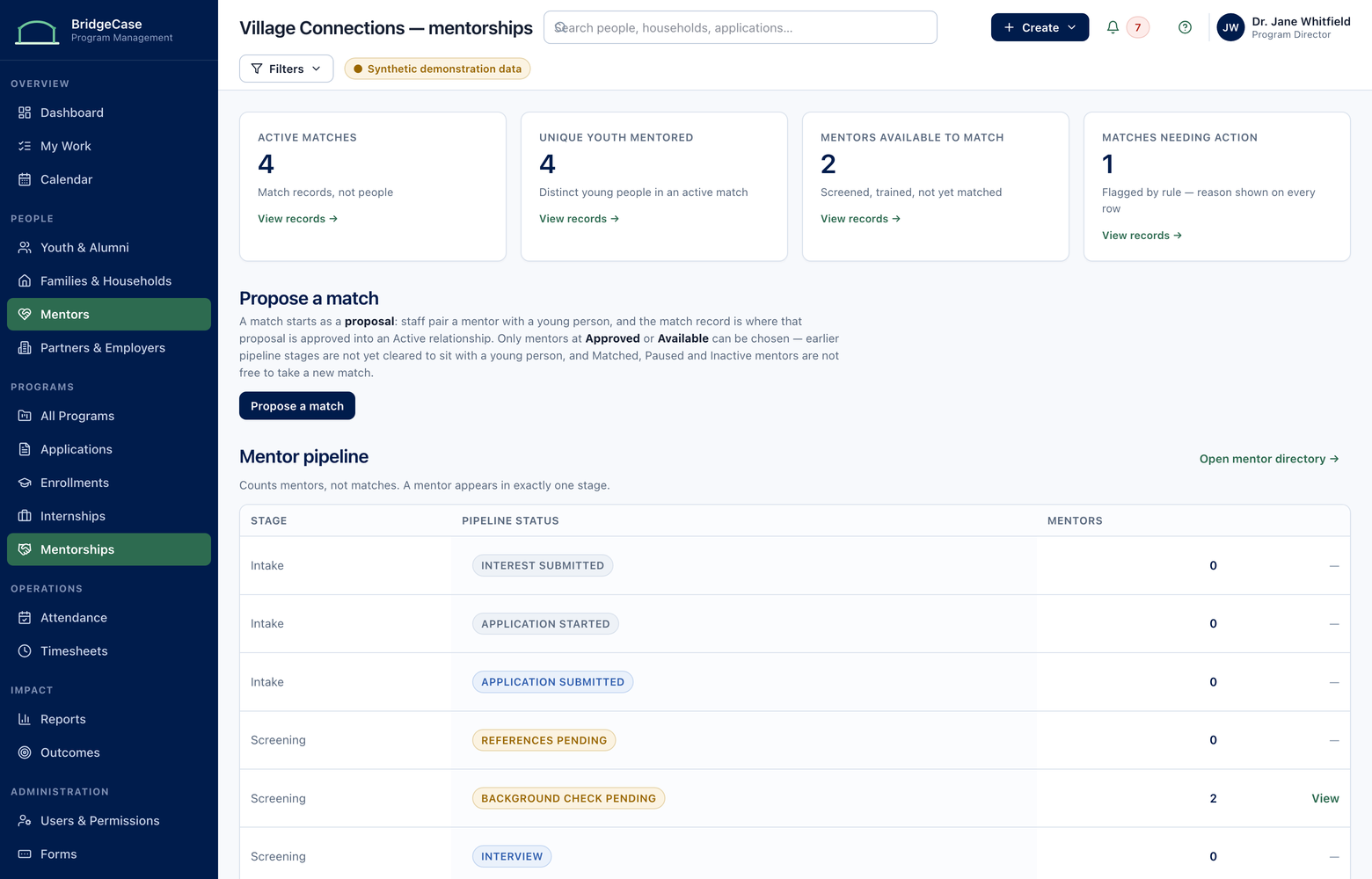
Employers, placements, timesheets, and outcomes in one lifecycle
Employer opportunities, placements, site visits, digital timesheets with approval routing, evaluations, and employment follow-up — payroll-grade records without the paper.
Explore Workforce & Internships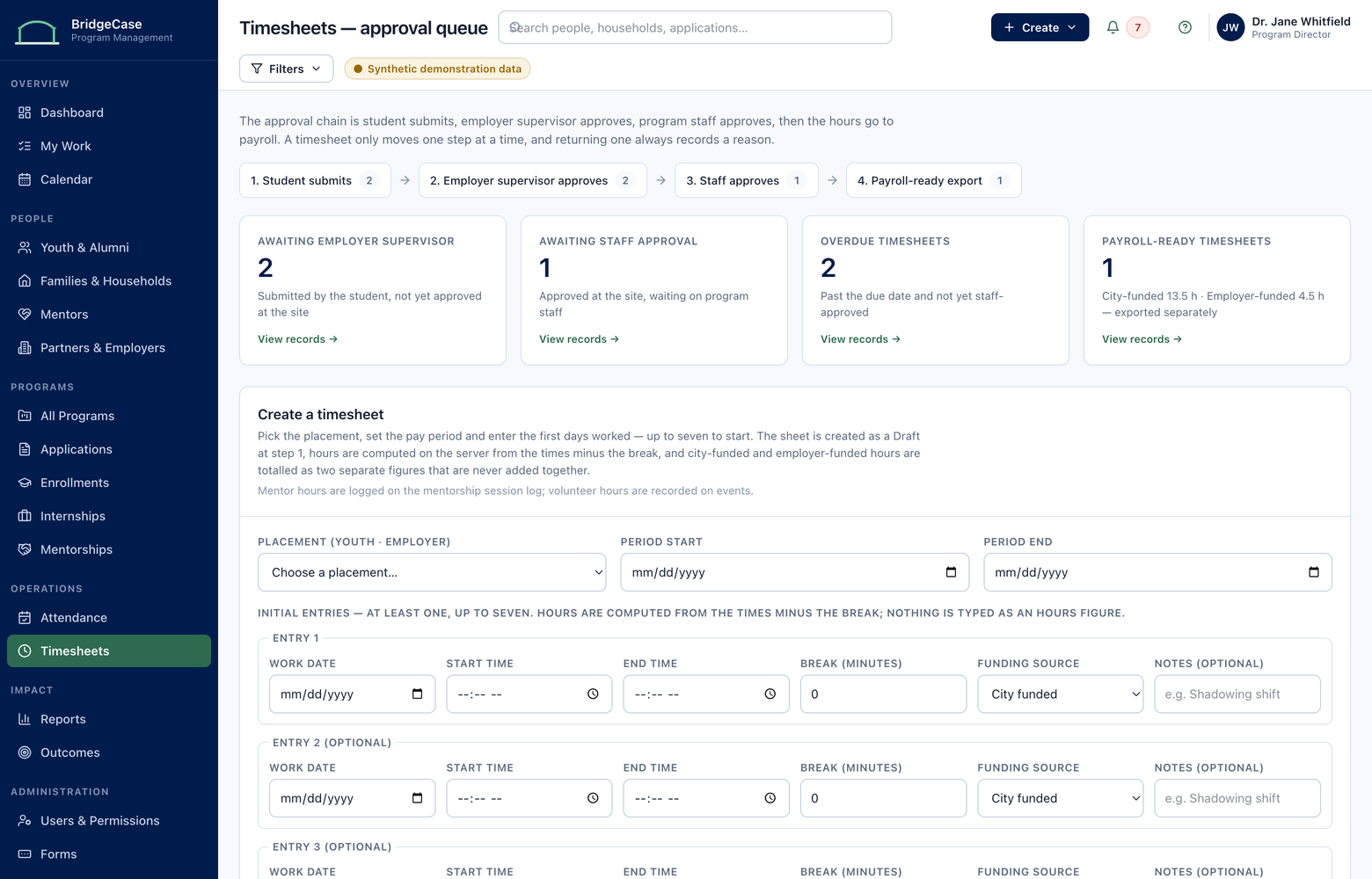
Follow the referral until the result is known
Household needs recorded once, referred to services, and tracked through contact, scheduling, and delivery — so staff know a family received help, not just a phone number.
Explore Family Resources & Referrals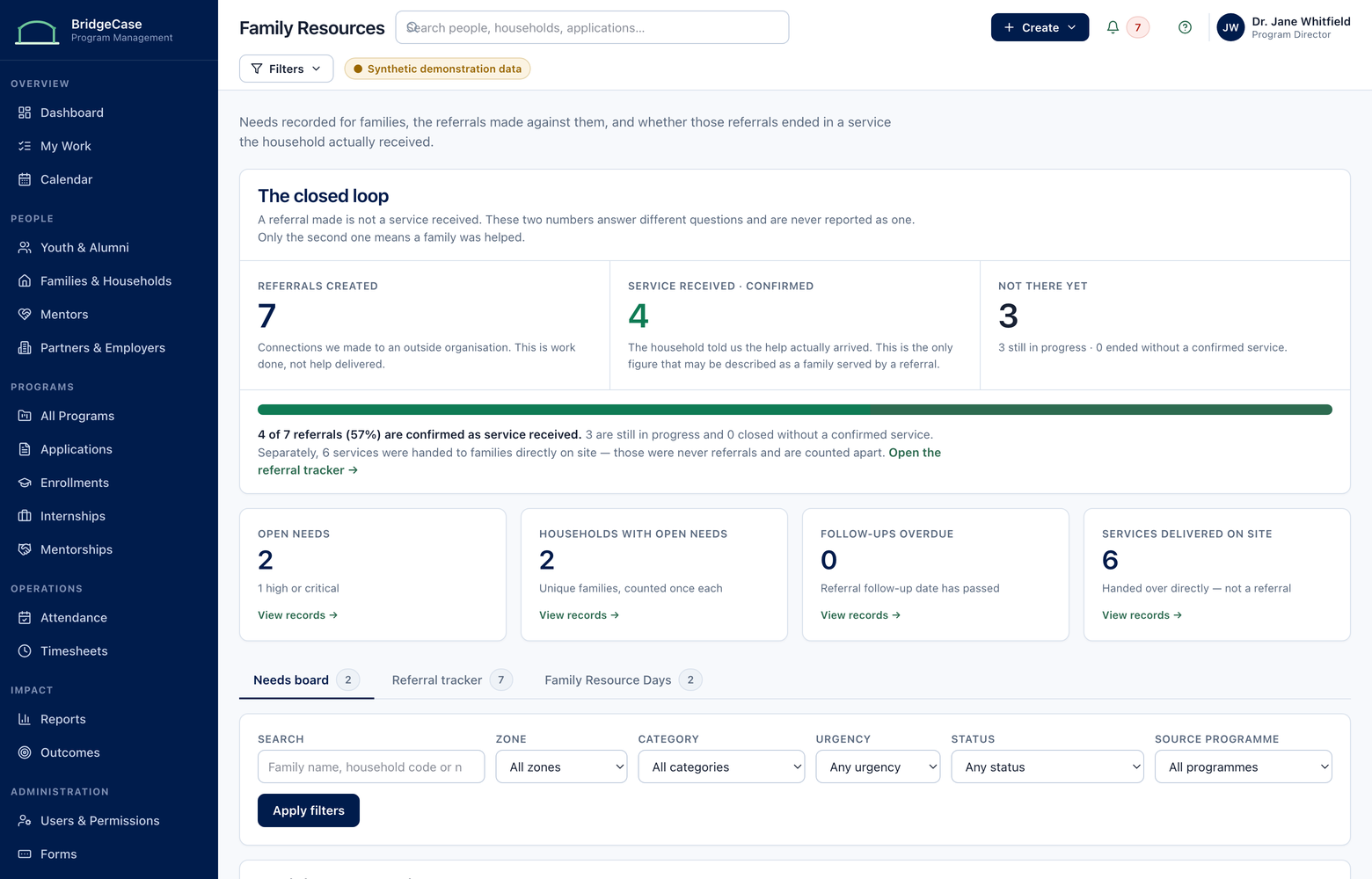
Credible reports, computed from the work itself
Unduplicated counts, grant-period filters, and de-identified leadership views — generated from the same records staff keep every day, for boards, grants, funders, and public agencies.
Explore Outcomes & Reporting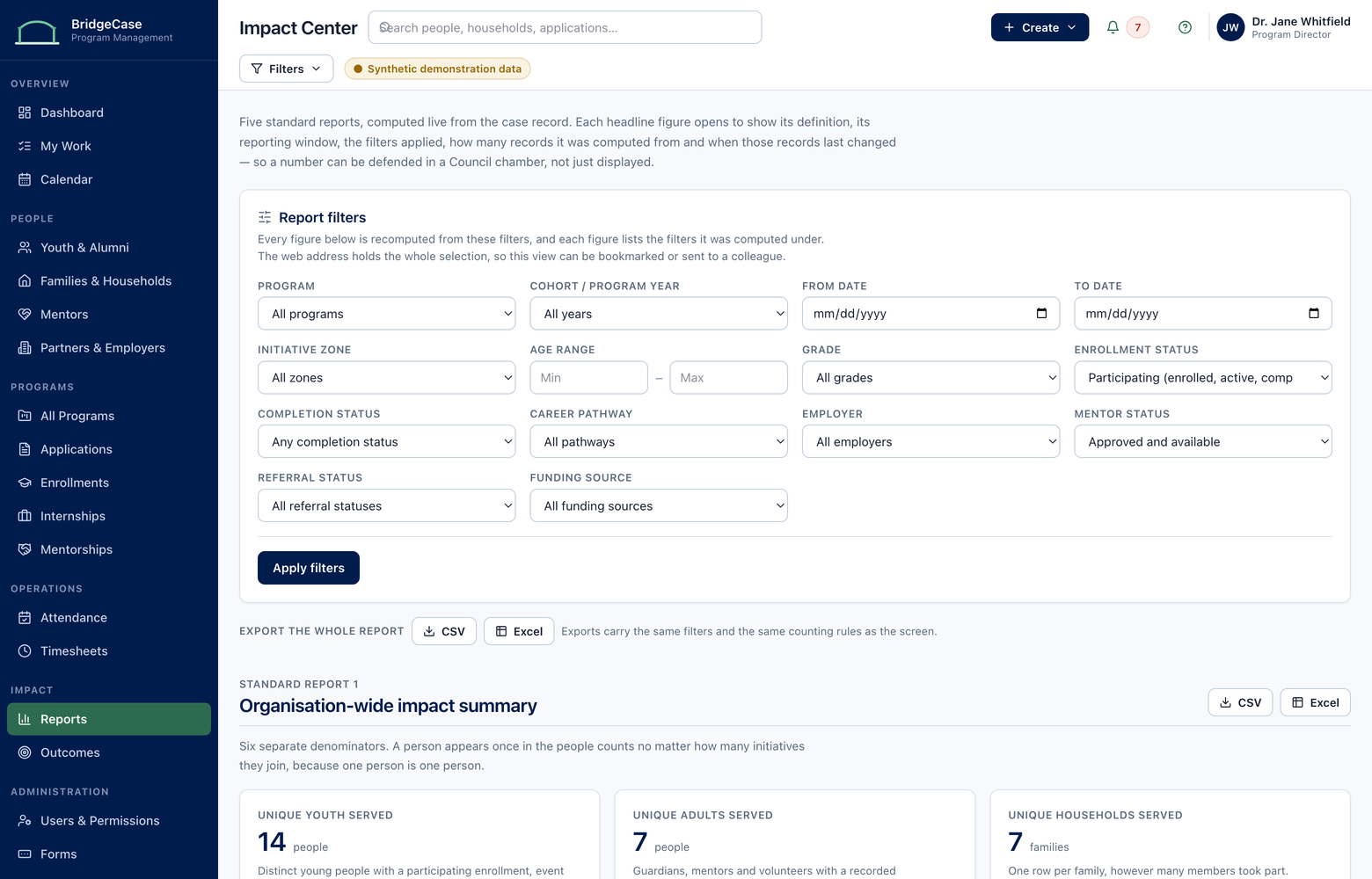
Participant & Household 360
Every enrollment, mentor, internship, service, document, referral, and outcome lands on one permanent profile — connected to the full household. Your team sees the whole journey instead of this year's spreadsheet.
Programs & Enrollment
Configurable forms, applications, interviews, eligibility, cohorts, participation, and completion — each stage writing to the same participant record, so returning participants are never re-entered.
Mentoring
Mentor readiness and screening status, matching context, session logs, goals, and relationship health — visible to coordinators before a match quietly stalls.
Workforce & Internships
Employer opportunities, placements, site visits, digital timesheets with approval routing, evaluations, and employment follow-up — payroll-grade records without the paper.
Family Resources & Referrals
Household needs recorded once, referred to services, and tracked through contact, scheduling, and delivery — so staff know a family received help, not just a phone number.
Outcomes & Reporting
Unduplicated counts, grant-period filters, and de-identified leadership views — generated from the same records staff keep every day, for boards, grants, funders, and public agencies.
Plus the governed foundation underneath: Security & Governance and connected tasks, communications, and documents across every module — see all eight.
Solutions
Purpose-built for organizations that serve people across programs, years, and relationships.
Mentoring & Youth Development
Mentoring organizations and youth-development nonprofits
See how it fitsCommunity Nonprofits
Small teams replacing spreadsheets with one system
See how it fitsMunicipalities & Public Agencies
City and county youth and family departments
See how it fitsK–12 & Higher Education
Districts, colleges, and universities
See how it fitsWorkforce Development
Workforce boards and internship programs
See how it fitsProvider Networks & Funders
Foundations and multi-organization networks
See how it fits
Also serving juvenile justice & diversion providers — see all solutions.
Keep reading: The platform in full · Product tour · Security & governance · Pricing & implementation · Guides & resources · Why we built it
Frequently asked questions
What kind of organization is BridgeCase for?
Organizations that serve the same people across more than one program, and have to report on it — mentoring and youth-development nonprofits, community nonprofits and family-service providers, city and county youth departments, schools and colleges, workforce boards, diversion providers, and the networks and funders that oversee them.
How is this different from a general-purpose CRM?
A sales CRM models a contact moving through a pipeline once. Youth and family work is the opposite: the same person returns across years and programs, belongs to a household, and is connected to mentors, employers, services, and referrals at the same time. BridgeCase is built on that model, so unduplicated counts and multi-year histories are a property of the data rather than a spreadsheet exercise at reporting time.
Can executives and funders see reports without seeing youth data?
Yes — that separation is enforced on the server, not by hiding a column in the interface. Executive and city-supervisor roles reach counts, rates, and trends; the screens that carry participant and household identifiers refuse to open for them and say which permission would be required and who holds it.
Do we own our data?
Yes. Your records remain yours, with export available, audit history for records and access, and no resale of program data. Data ownership and export are covered on the Security and Governance page.
How long does implementation take?
It depends on scope, data quality, security review, procurement, and integrations, and we would rather scope it honestly with you than quote a number that fits a brochure. The implementation approach walks through the four stages and what each one needs from your team.
See how BridgeCase can support your programs.
Walk through your current workflows with our team and see how participant records, mentoring, internships, referrals, and reporting could work from one connected system.
No youth or family data is required to request a demo.